
💬 Troubleshoot AI Agent tickets with Gaia in one click
1791275528290
Announcement
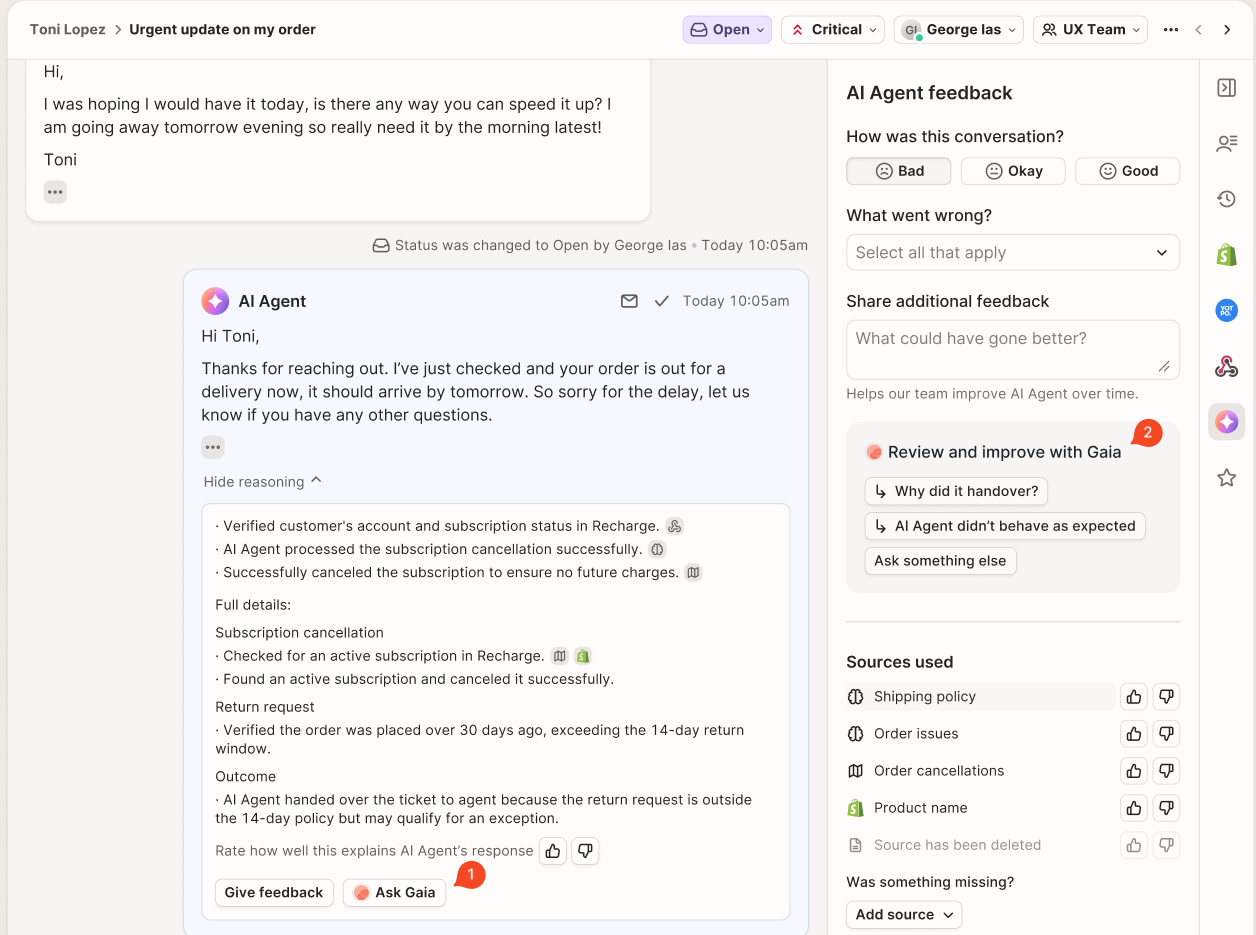
You can now open Gaia right from where you review AI Agent tickets. Click Ask Gaia under AI Agent's reasoning, or use the new Review and improve with Gaia section on the AI Feedback tab to start from a suggested question.
Why it matters
You could already ask Gaia about a ticket, but you had to open it on its own and tell it which ticket you meant. Now Gaia is part of the review flow. When a response looks off, one click gets you an explanation of what happened and help fixing the skill or knowledge behind it.
How to access
Open any AI Agent ticket. Click Ask Gaia under the reasoning, or go to the AI Feedback tab and pick Why did it handover?, AI Agent didn't behave as expected, or Ask something else.

Published by Felipe Mora