
Shopify Metafields
1769781607530
🚀 We’re excited to present you the new and revamped Shopify metafields.
You are now able to pick your most relevant Shopify metafields and pull them in to your Helpdesk. These are specific data points related to your orders, draft orders or customers in Shopify. You can now import these into Gorgias, decide where and how you see them and leverage them in macros to speed up your specific processes.
In order to access this new feature, all you need to do is follow these steps.
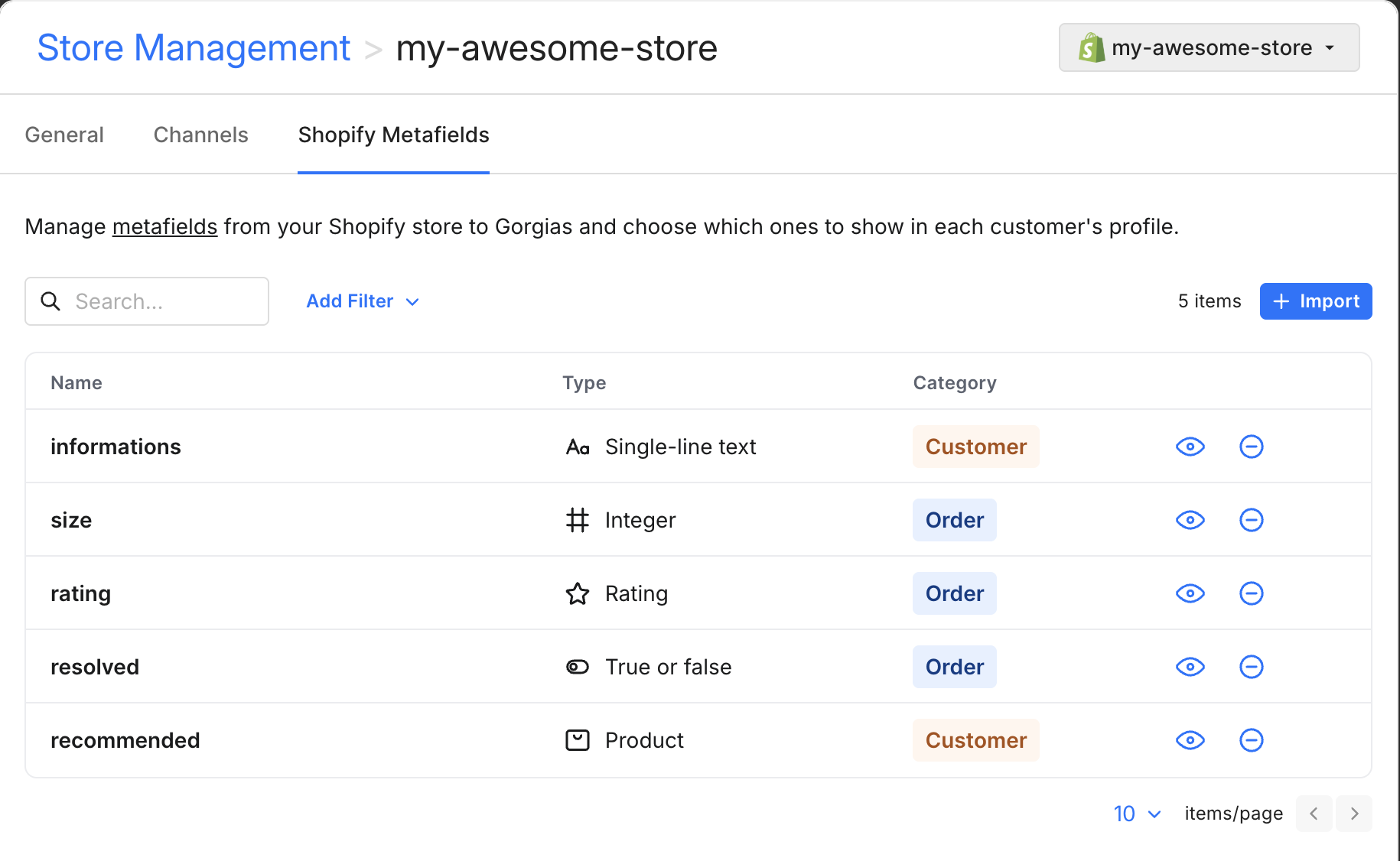
⚙️ Import the metafields that you want from Settings → Store management → Your store.
Select up to 10 metafields of each type (customer, order and draft order) and import them in your Helpdesk. Once they’re imported, you can determine if you want the metafield to be visible or not in the ticket using the hide/show icon.
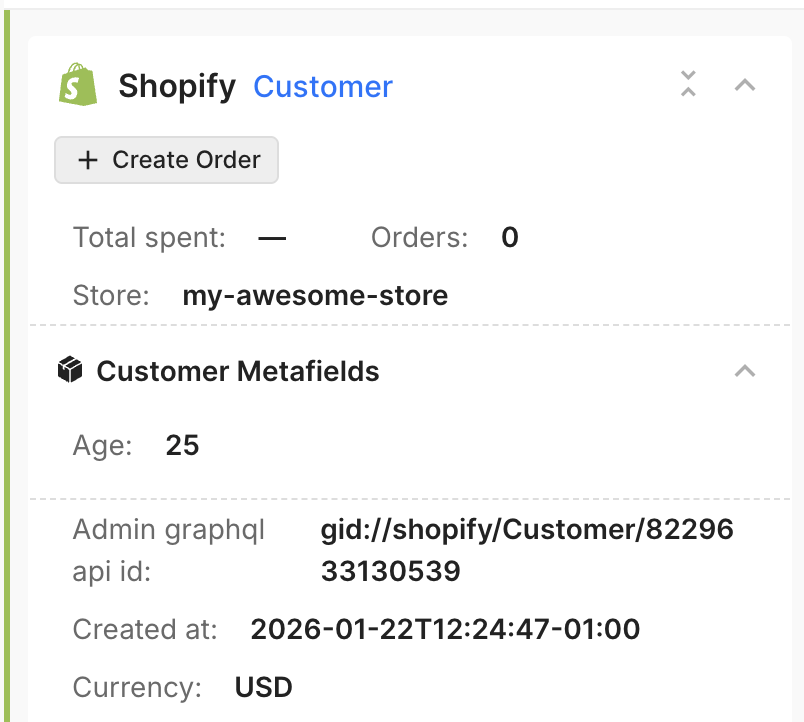
🔍 Open a customer ticket, and view the the metafields in the Shopify widget.
Everything is exactly as you know it and where you left it.
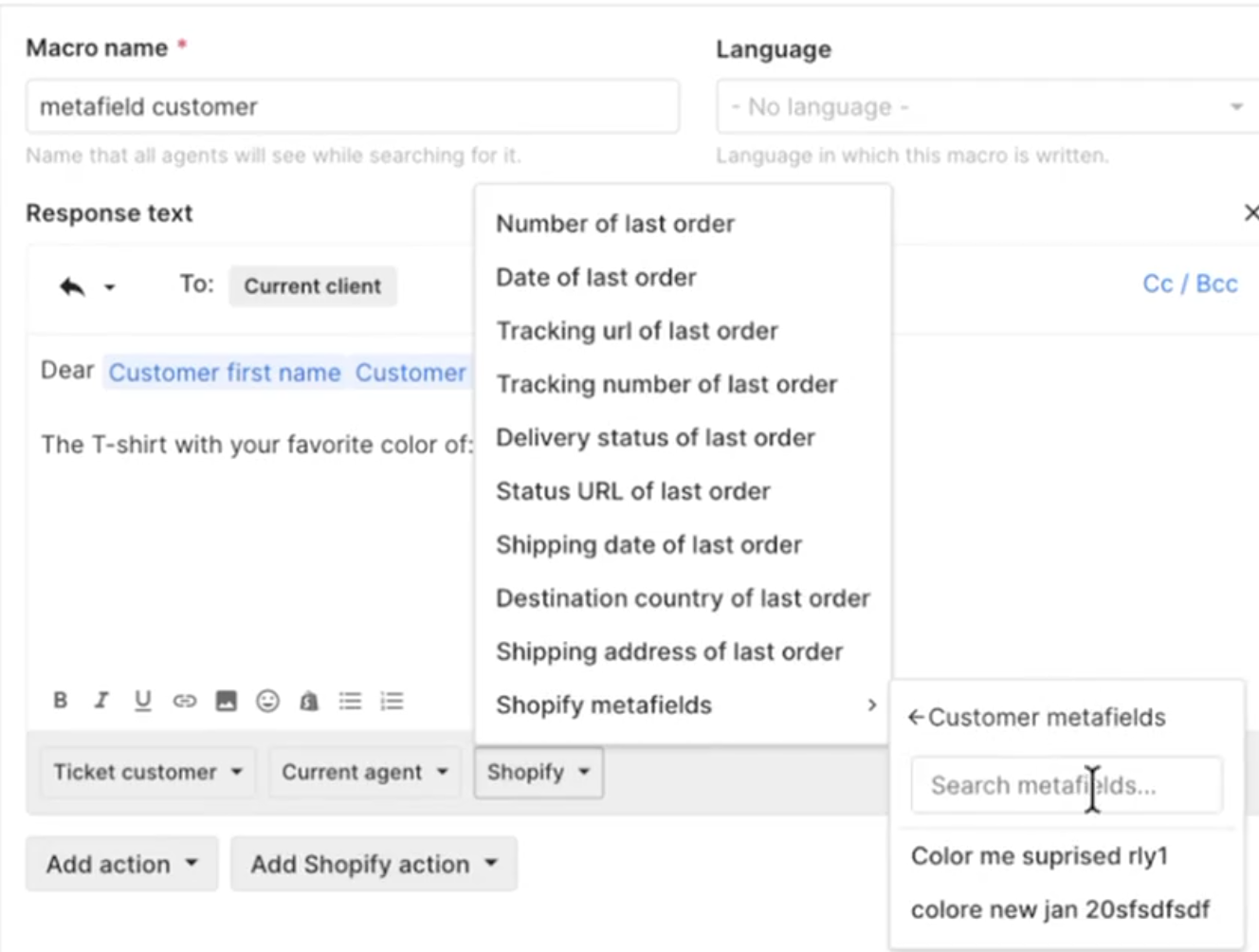
🤖 Use metafields in macros.
Add more context to your macro by selecting metafields.
Did you like this update?


Leave your name and email so that we can reply to you (both fields are optional):
