
📅 Schedule holiday hours ahead of time
1791285446863
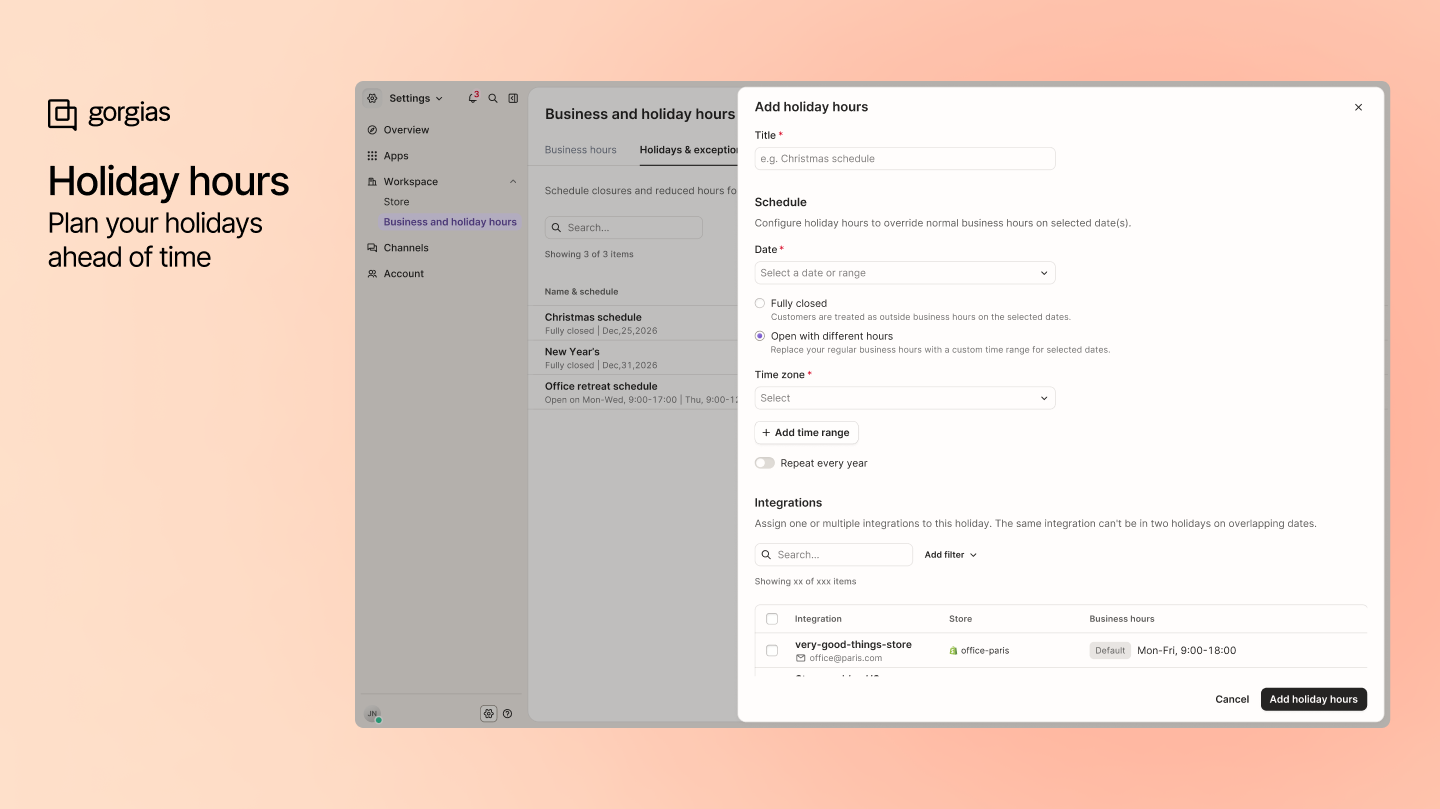
Plan holiday closures and adjusted hours in advance for the integrations you choose.
With holiday hours, you can set a full-day closure or special opening hours for a date or date range. Apply the schedule to all integrations or select specific ones, such as stores or regions with different holidays. You can also set holidays to repeat every year. Your regular weekly hours stay in place outside those exceptions.
Holiday hours are reflected in Chat availability, Voice routing, and Rules. When an SLA policy pauses timers outside business hours, the pause also accounts for holiday hours.
How to use it
Go to Settings and open Business and holiday hours.
Select the Holidays & exceptions tab and add a holiday with Add holiday hours.
Choose the date or date range, set a full-day closure or special hours, and select the integrations it applies to.
Turn on yearly recurrence if you want the holiday to repeat, then save your changes.
