
📞 Request a callback now works anywhere in your call flow
1795528132758
Announcement
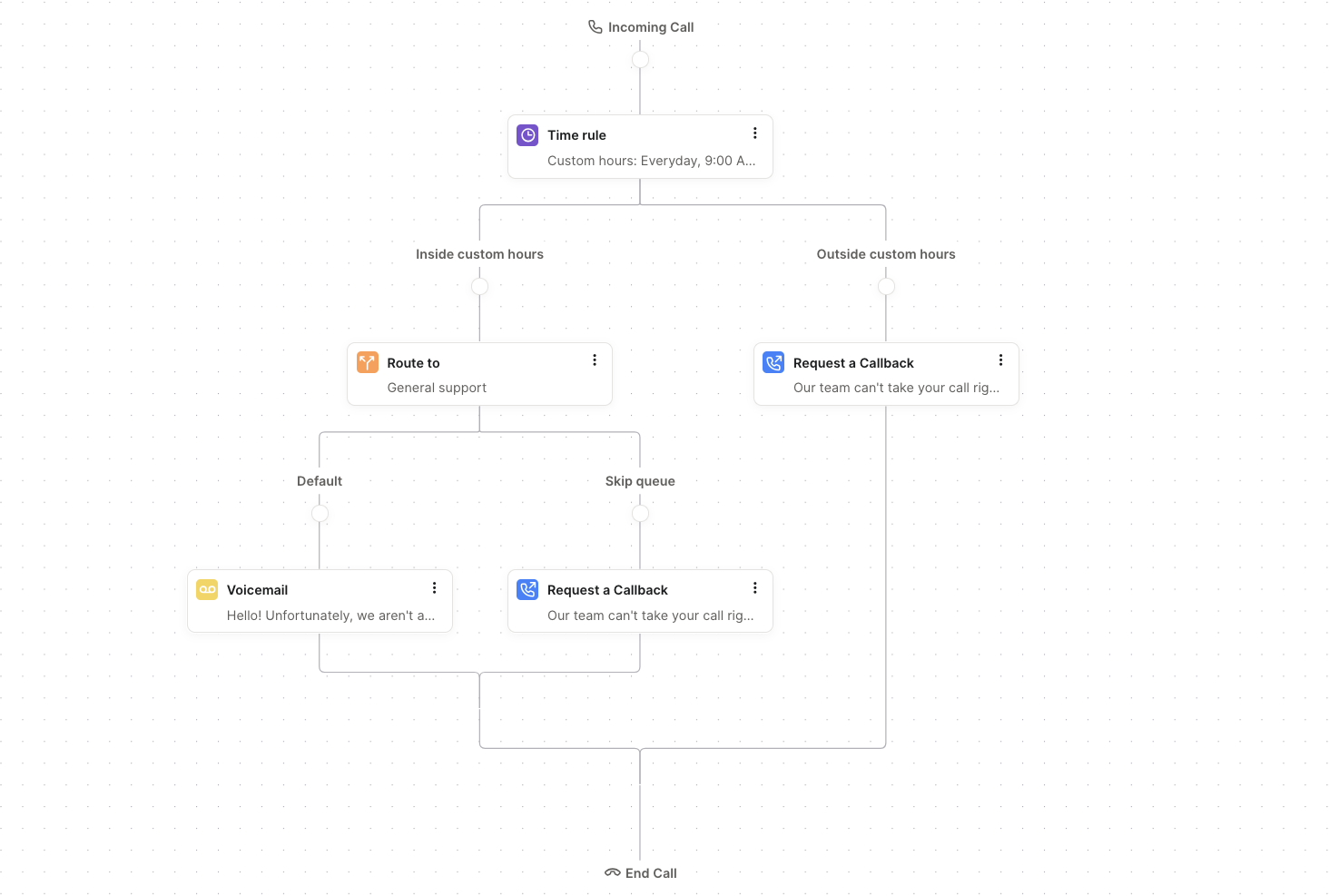
Callers used to be able to ask for a callback only while waiting in the queue.
Now you can add a Request a callback step anywhere in your call flow:
After an IVR menu option: "Press 3 and we'll call you back."
Outside business hours: no one's there, but the caller can still ask for a callback.
When the max wait time is reached: the caller leaves a voicemail and asks for a callback, instead of only leaving a voicemail.
When the call skips the queue: the queue is full, or all agents are busy or offline.
The caller hears your message, can leave a voicemail if you allow it, and the call ends. The ticket gets the Call status Callback Requested, so your team knows who to call back.

Software Engineer