
Hola, Bonjour, Hallo! Automatic Translations Are Here 🌍
1771401781781
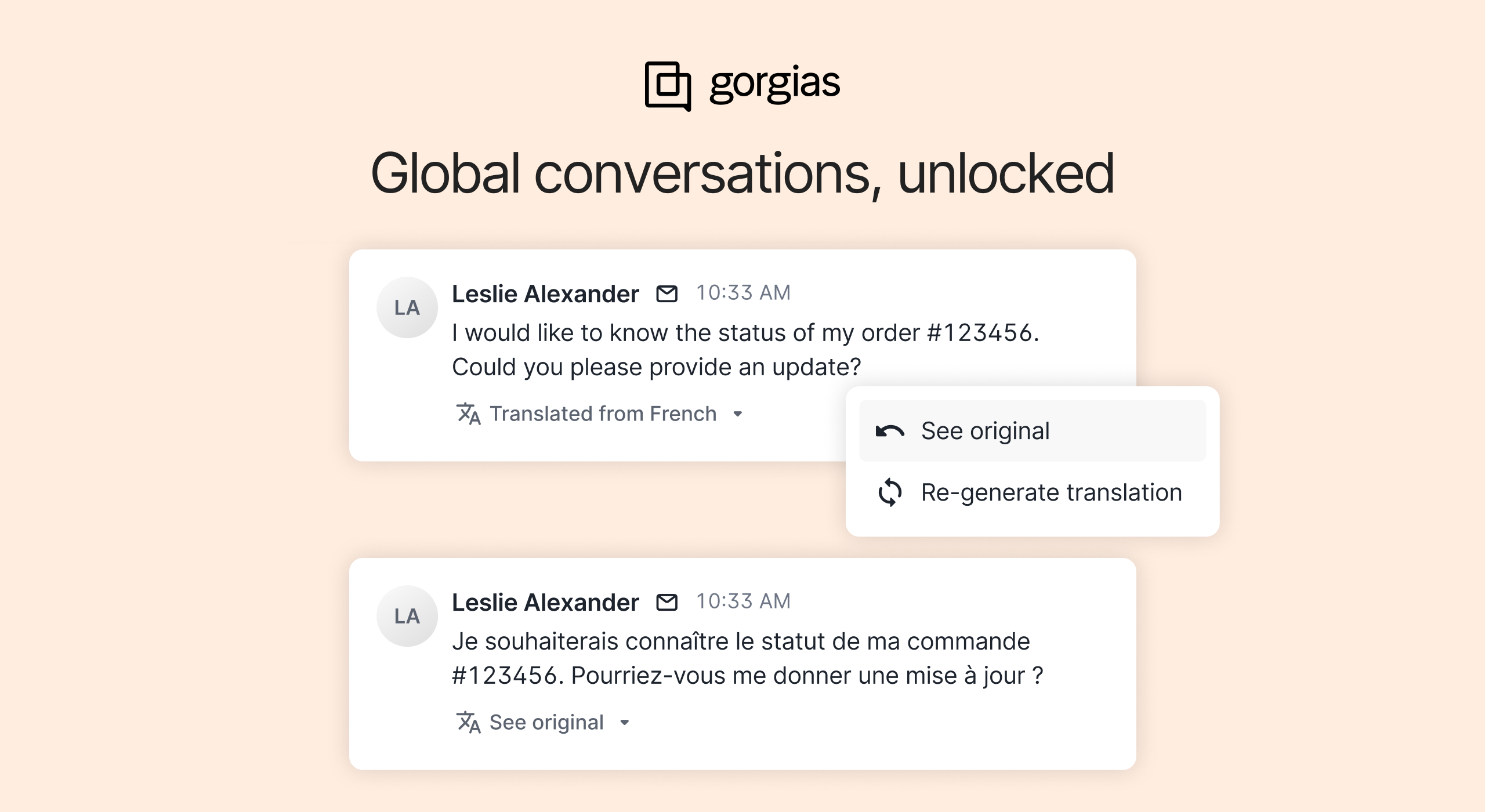
If you support customers across different countries or languages, Gorgias can now handle translations for you — automatically.
Inbound and outbound messages are instantly translated into your preferred language, right inside the ticket. No copy-paste, no third-party tools.
Why it matters
Supporting a global customer base shouldn’t slow your team down. Native Translations make it easy to serve shoppers in any language — without having to get extra tools.
Save time: Automatically translate inbound messages and draft responses without switching tabs or tools.
Stay accurate: Context-aware translations preserve tone, intent, and brand voice.
Boost satisfaction: Respond quickly in your customers’ preferred language to improve trust and CSAT.
Fit each team member: Each agent can choose which languages to translate, and which ones to leave as-is — so they only see translations when needed.
Scale globally: Seamlessly support multilingual regions like EMEA and LATAM without having to expand your team.
How to set it up
Translation preferences are personal — not account-wide — so every agent can tailor Gorgias to the languages they know.
Go to Settings → Your profile → Ticket translation settings
Turn on Enable ticket translations
Choose your Default translation language — the language you want all unfamiliar messages translated into
Add any Languages you know to skip automatic translations for those tickets
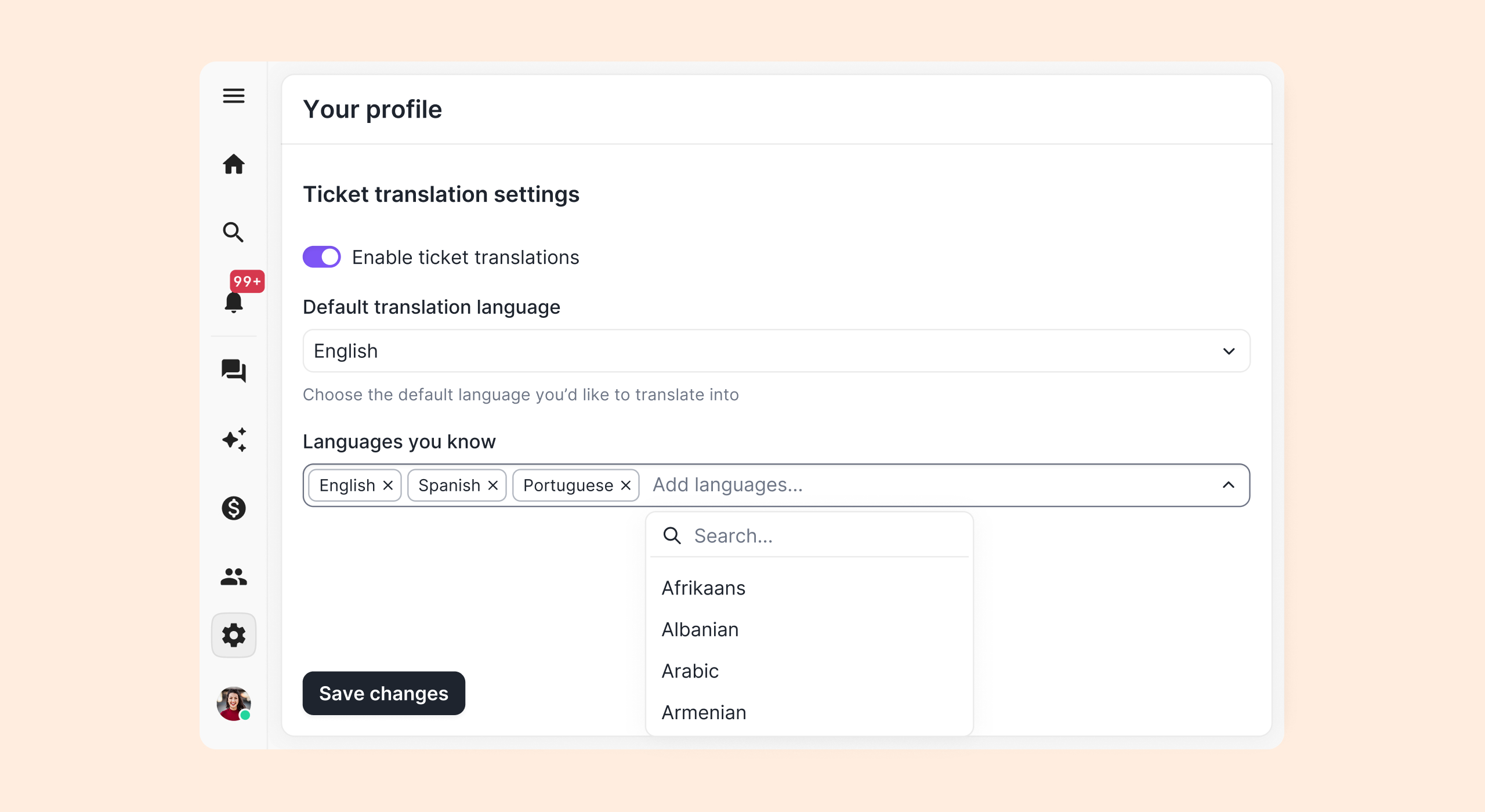
Once saved:
Inbound messages in other languages will translate automatically.
You can hover over any message to see the original text or retranslate if something looks off.
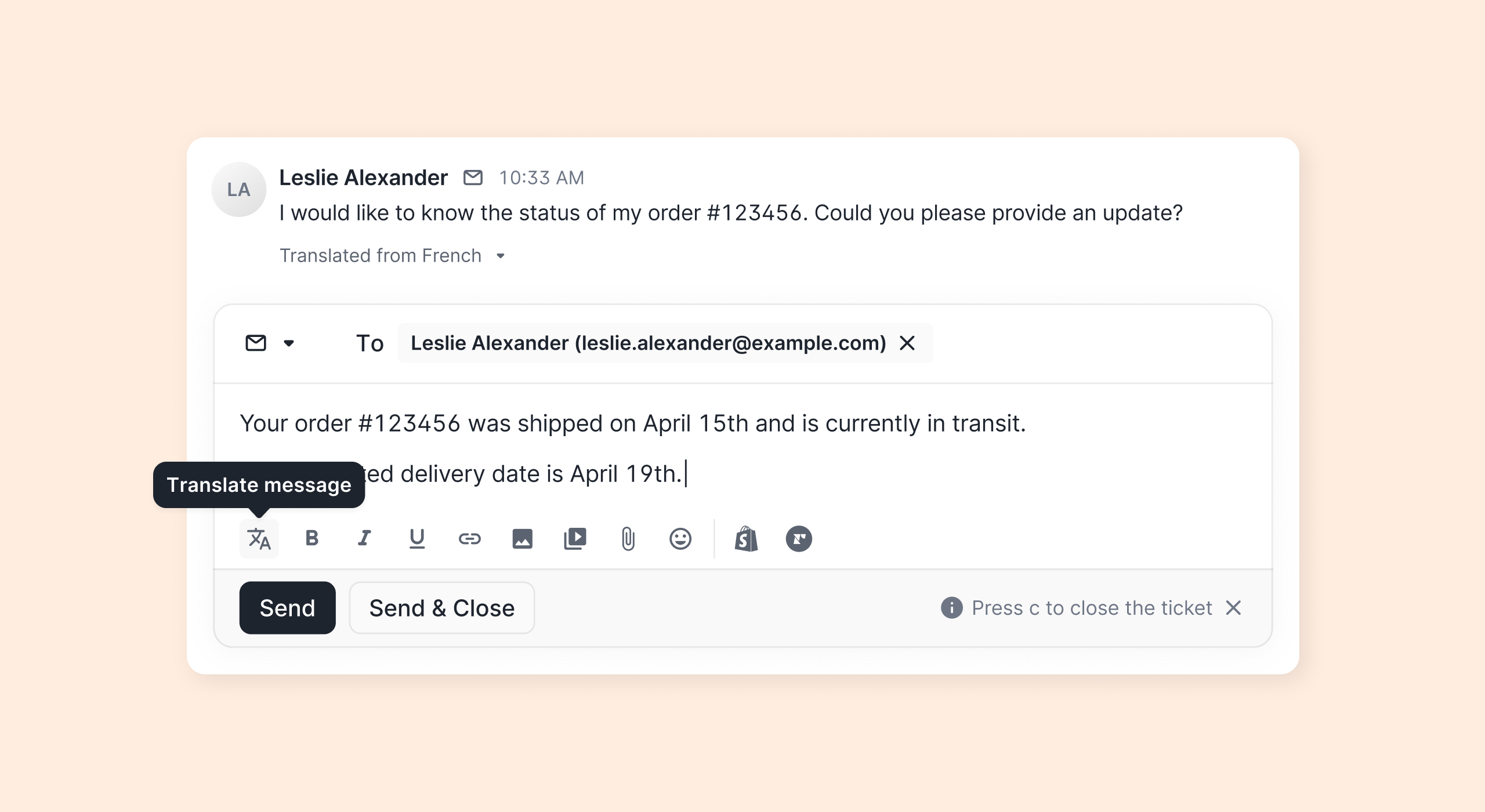
When replying, click the Translate icon in the reply editor to generate your message in the customer’s language. You can always go back to your original draft, adjust, and retranslate before sending.
FAQ
Who can use it?
Available on all helpdesk plans. Every agent can set their own preferences.
Are internal notes and Macros translated?
No, only customer-facing messages and subject lines are translated.
Can I edit translations?
You can always return to your original draft, edit, and re-translate before sending.
Does it support every language?
Yes! Any language recognized by LLMs like ChatGPT, including Right-To-Left (RTL) languages.
Does it cost extra?
No — Translations are included in all plans without limits.
➡️ Try it now: update your language settings and start supporting customers in every language — instantly. Need help? Check out our help document on translations.
Did you like this update?


Leave your name and email so that we can reply to you (both fields are optional):