
Helpdesk 2.0: A more flexible sidebar
1785360157997
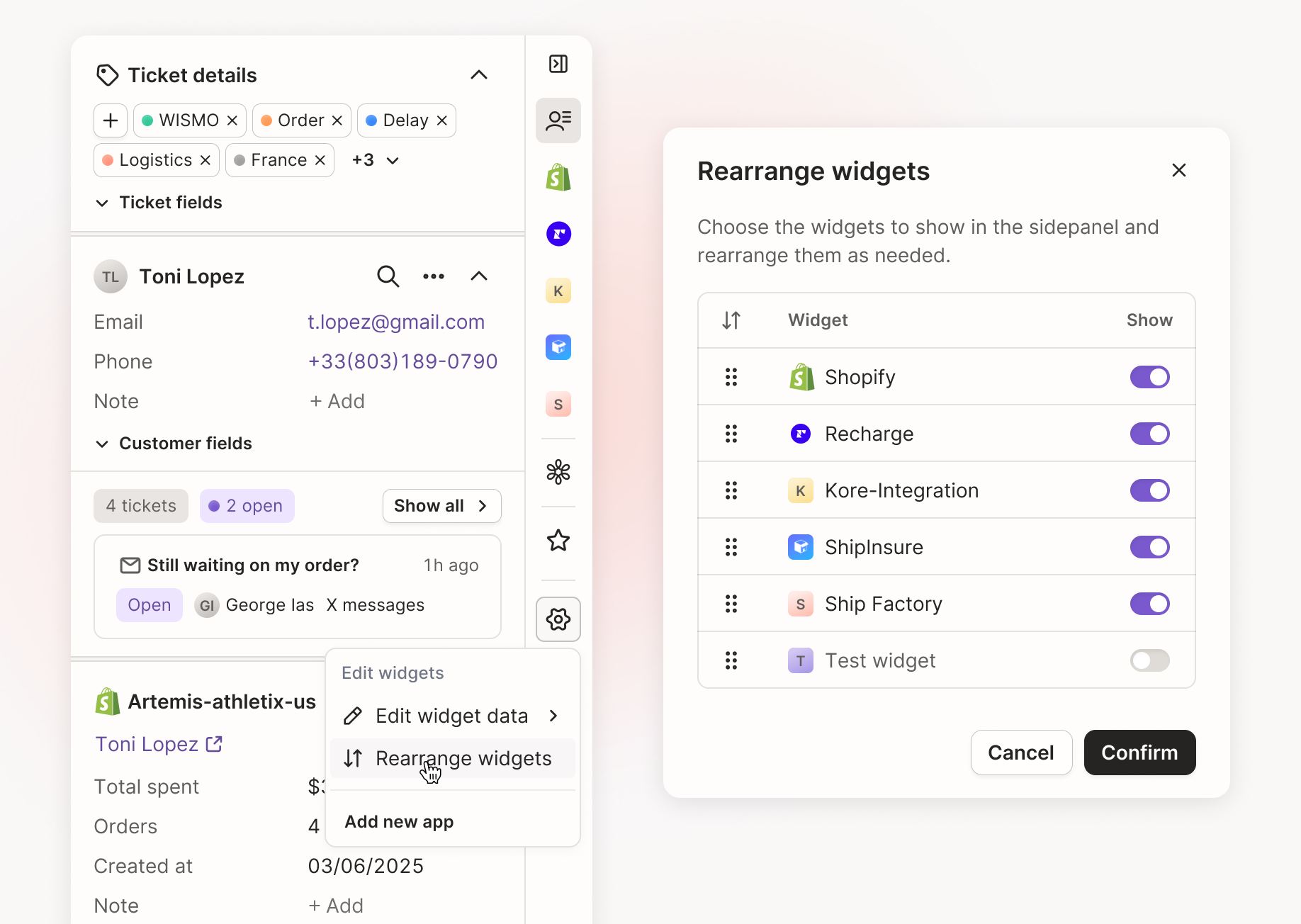
We've made the ticket sidebar more customizable and easier to navigate.
Based on feedback from how agents actually use the sidebar, we've made it more flexible, and easier to keep tidy.
What's New
Reorder your sidebar widgets
You can now drag and drop sidebar widgets to match your team's workflow. Put your most-used integrations at the top, organize the sidebar the way your agents work, and if you previously customized your widget order, it'll be carried over automatically.
Custom integrations now have their own icons
Instead of being grouped under a single icon, each custom integration now appears alongside native Gorgias integrations, making them easier to find, access, and rearrange.
Show or hide ticket and customer fields
Collapse ticket and customer fields you don't use often to reduce clutter and keep the information that matters most visible.
A shorter customer timeline
We've shortened the customer timeline so your key integrations appear higher in the sidebar by default, reducing the need to scroll.
Why It Matters
Organize your workspace your way. Arrange the sidebar around how your team works.
Find important tools faster. Keep your most-used integrations within easy reach.
Reduce clutter. Hide less frequently used fields and focus on what matters.
This is part of an ongoing set of improvements to Helpdesk 2.0, most driven directly by customer feedback. We're not done, more refinements are on the way as we keep tuning the workspace based on how you're actually using it.
Did you like this update?


Leave your name and email so that we can reply to you (both fields are optional):
