
New: Custom agent unavailable statuses
1786014000000
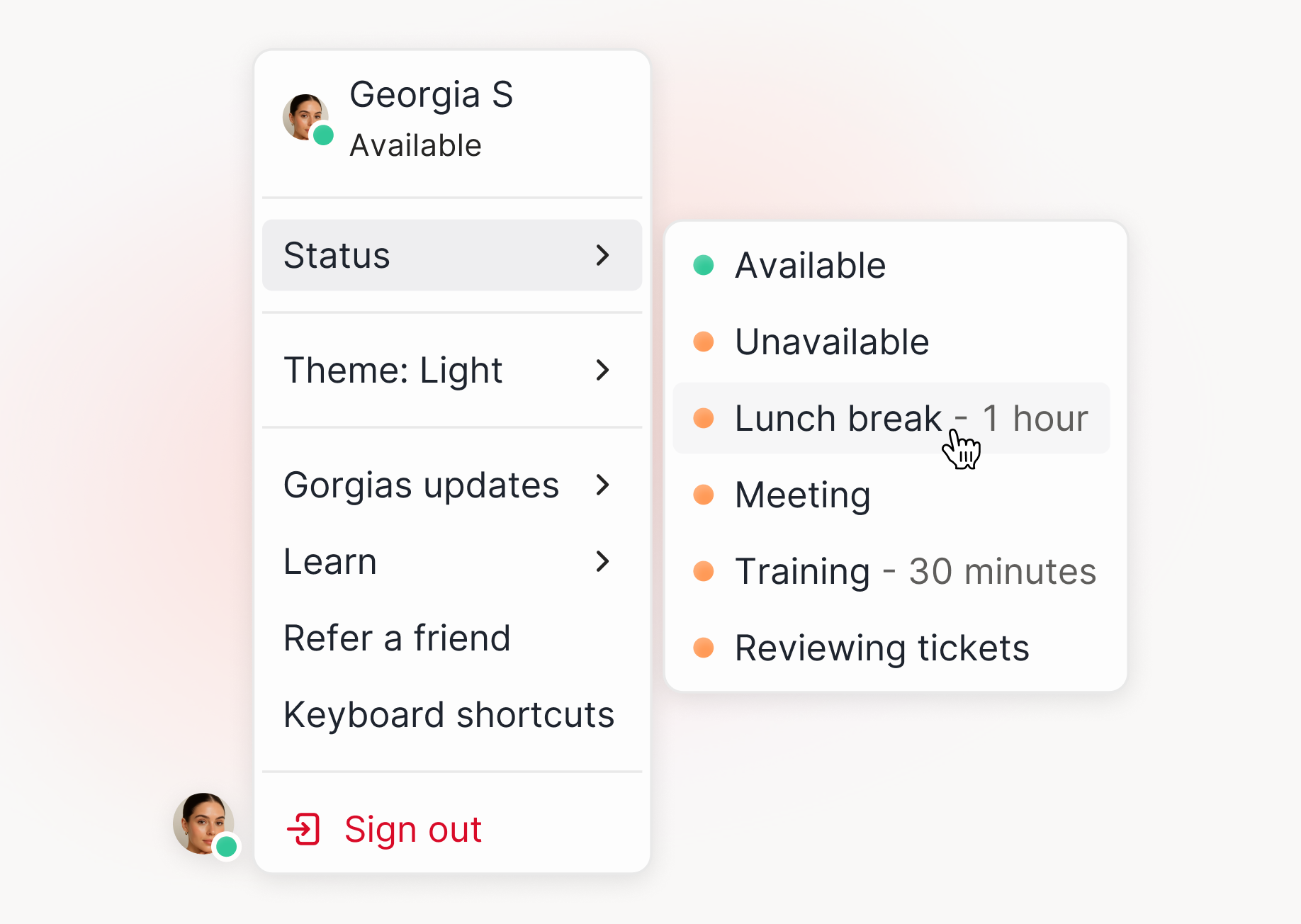
Your team can now show why they're away, not just that they're offline.
What's New
Create your own unavailable statuses
Admins and team leads add statuses in Settings > Agent Unavailability. Think Lunch, Break, In a meeting, In training, plus whatever's specific to how your team works. Available and Unavailable stay as they are and can't be edited or removed.
Set a duration so statuses clear themselves
Set how long each status lasts when you create it. When the timer runs out, the status clears on its own. No more agents stuck on lunch until 4pm because they forgot to switch back.
Agents set their status from the user menu
Your team picks a status in the same place they toggle availability today. One click, no new page to learn.
See time spent in every status
The Live agents and Live voice dashboards show who's in which status right now, plus how long each person spent in each one. You get the history, not just the live snapshot.
Team leads can fix a wrong status
Admins and team leads can change someone else's status. Useful if you run a BPO and your leads don't have admin permissions. Everyone else can only change their own.
Automatic statuses for Voice
Gorgias sets On a call and Call wrap-up on its own. On a call is system-controlled and can't be changed while the call is live. During wrap-up, agents can still switch their status.
Why It Matters
See where non-ticket time goes. Training, meetings, and breaks are tracked separately instead of all counting as unavailable.
Plan coverage from real numbers. You can see how much of the day was actually available time.
Know who's reachable now. Team leads see current status without refreshing the page.
Rolling out now, with all accounts live by mid-August. Nothing to turn on. If you don't create custom statuses, your user menu stays exactly as it is today.
Learn more in our Help Center:
Did you like this update?


Leave your name and email so that we can reply to you (both fields are optional):
